HTML Tag
HTML Elements
- HTML elements are defined by a starting tag, may contain some content and a closing tag.
- Example:
<h1>Heading 1</h1>
Void Element
- HTML elements which do not have closing tags or do not need to be closed are Void elements.
- Examples:
<br />, <img />, <hr />
Pseudo element
HTML Attribute
- Each HTML element can have different attributes
- They are key value pair separated by equals sign
HTML Global Attributes
- common to all HTML elements
- though they may have no effect on some elements
- Examples:
hidden: Hides elementid: Sets ID for elementlang: language of an elementstyle: Inline CSSclass: class nametitle: advisory info related to an elementdraggable: whether the element can be dragged by Drag and Drop API
Ancestors vs Sibling vs Descendant
- Ancestor (aka Ascendant): parent/grandparent/etc.
- Sibling: brother/sister (share the same parent strictly (not grandparent/etc.))
- Cousins ARE NOT siblings
- Descendant: children/grandchildren/etc.
flowchart TD

parent["Parent (Ancestor)"]
grandParent["Grand Parent (Ancestor)"]
sibling["Brother (Sibling)"]
child["Child (Descendant)"]
grandChild["Grand Child (Descendant)"]
node["Node (You)"]
uncle["Uncle"]
cousin["Cousin"]

grandParent --> parent
grandParent --> uncle
uncle --> cousin
parent --> node
node --> child
child --> grandChild
parent --> sibling
Walking DOM
- Including text nodes:
childNodes (Collection not Array)firstChild, lastChildpreviousSibling, nextSiblingparentNode
- Only element nodes:
children (Collection not Array)firstElementChild, lastElementChildpreviousElementSibling, nextElementSiblingparentElement
Searching DOM
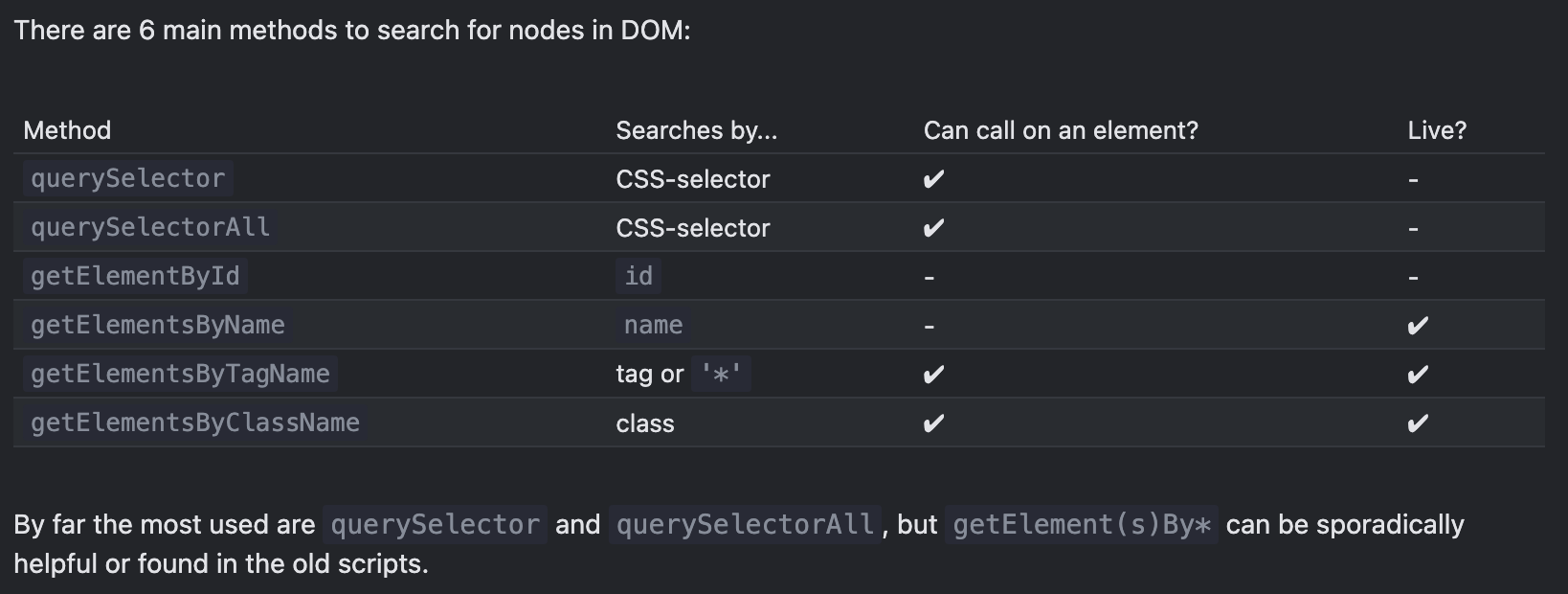
document.getElementById (only works for document)element.querySelectorAll(css-selector): collection of elements matching selectorelement.querySelector(css-selector): first element matching selector- Deprecated:
getElementsBy* ⇒ They return live-collections
document.getElementsByName (only works for document)element.getElementsByTagNameelement.getElementsByClassName
element.matches(css-selector): checks if element matches given selectorelement.closest(css-selector): nearest ancestor matching selector including element itselfelementA.contains(elementB): checks if elementB is descendant of elementA